Remote control for compatible Panasonic cameras
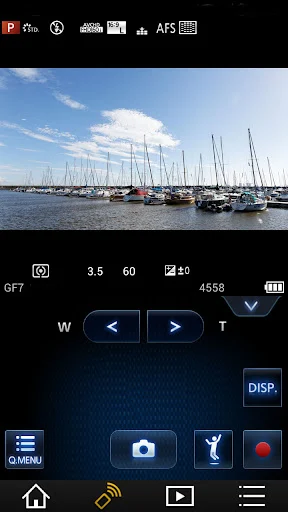
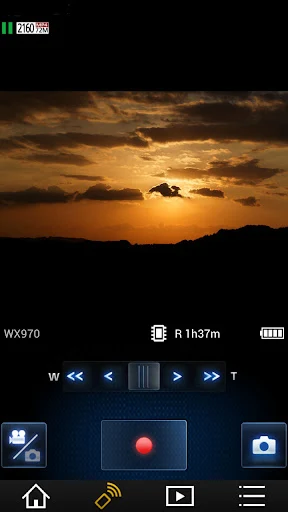
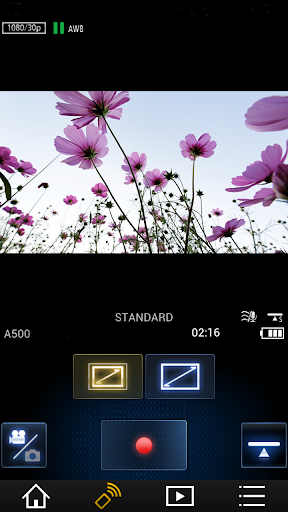
Panasonic Image App links an Android phone with a Wi-Fi-compatible Panasonic camera or camcorder. It suits owners who want to frame a shot from their phone, trigger the camera remotely, or check footage without handling the camera itself. The exact controls depend on the camera model: some older models, for example, do not support remote video recording.
Move images between camera and phone
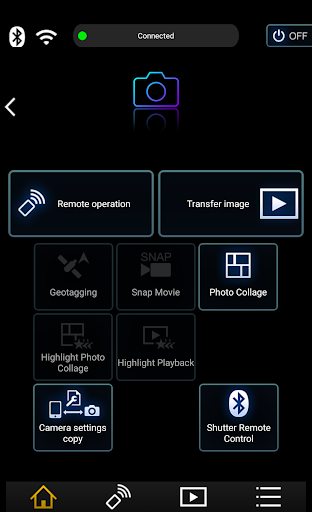
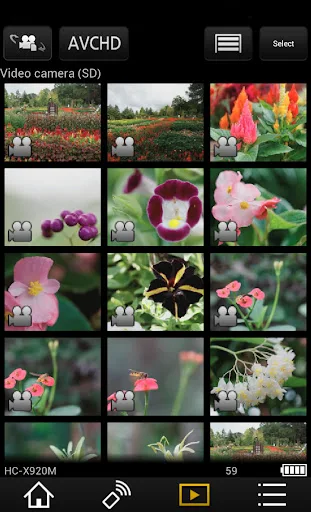
The app can show photos and videos recorded on a connected camera, and lets you copy supported images to the phone. Some cameras also support automatic transfer of still photos. With compatible Bluetooth-equipped cameras, the app can maintain a connection and use the phone’s location data to tag pictures. These options are model-dependent, so the camera’s compatibility matters as much as the phone’s.
Social sharing is available for supported setups, but Panasonic’s LUMIX CLUB account is required for SNS uploads and its cloud sync service. Using the location feature can also increase battery drain because it relies on GPS.
A substantial audience, mixed ratings
Panasonic Holdings Corporation is the developer, and the listing shows more than 5 million installs. That reach suggests the app serves a sizable group of camera owners, while its 2.8 rating from about 32,850 reviews is a clear sign that user experience is uneven. The figures show adoption, not a guarantee that the app will work smoothly with every camera or phone.
Check compatibility before relying on it
The listed Android support covers versions 11 through 16. Bluetooth features need a phone with Bluetooth 4.0 or later, and particular camera functions vary by model. If your Panasonic camera is supported, the app brings remote shooting and basic image transfer into one place; if it is not, several of its main conveniences may be unavailable.